
RUN
Less friction day to day
Calls land where they should. Ring groups, schedules, forwarding and queues are adapted to your real workflows.
 LEONPBX
Telephony for real workflows.
LEONPBX connects local PBX systems, endpoints and custom integrations into a solution that supports reception, branches, service teams and internal workflows. Sovereign operation, planned expansion and no unnecessary cloud dependency.
What you get
Calls land where they should. Ring groups, schedules, forwarding and queues are adapted to your real workflows.
Calls, metadata, phonebooks and configuration stay in an environment you can control.
You avoid permanent license models and get a solution that can be expanded selectively when needed.
Digital sovereignty
Many cloud PBX systems move central communication data onto external platforms. LEONPBX is built differently: the PBX runs locally or in a controlled German or European environment.
Call data, recordings, phonebooks and configuration remain where you can control them.
Internal telephony, extensions and key workflows remain predictable even when external cloud services fail or contract models change.
Access, storage locations, backups and roles can be documented transparently and aligned with internal privacy requirements.
The goal: a modern telephony solution that reduces dependency on external platforms.
Your requirements
We plan telephony from the process outward: who calls, who needs to react, which systems should be involved and what should not create admin work in daily operations.
Calls are routed by request, time, site or team so not every call has to be handled manually by reception.
Multiple sites get a shared numbering and routing concept while still remaining locally usable.
Queues, callback paths, groups and escalations help prevent customers from getting lost in the system.
Click-to-call, caller recognition, phonebook sync and process data are integrated where your team works every day.
Phones, BLF keys, profiles and updates are provisioned predictably instead of maintaining every device manually.
Storage locations, roles, recordings, backups and access are planned for control and traceability.
The concrete solution is assembled from the right PBX functions, endpoints and integrations. Only what supports your workflows is enabled.
LEONPBX modules
Our own extensions solve concrete challenges in reachability, collaboration and operations. They are centrally managed, delivered with signatures and enabled to match each customer environment.
LEONPBX detects genuine media and reachability loss, keeps the active call alive and can reconnect the employee through their stored mobile number.
Fewer dropped calls during Wi-Fi or mobile network changesInbound call paths are built visually and simulated before activation. Time windows, caller rules, dynamic extensions and safe fallback targets remain traceable.
Complex routing without opaque individual rulesCustom Microsoft Teams states are translated into telephony. Available, busy, on a call or unavailable are instantly visible through clear BLF colors; authorized employees pick up ringing calls directly.
Faster coordination and fewer missed callsSigned extensions, protected voice connections, hardware health, storage, live logs and core telephony processes are monitored together and updated in a controlled process.
Predictable operations with traceable changesExtensions, desk phones, function keys and softphone profiles originate from one central configuration. Caller number and name are displayed clearly, while the customer portal and branded interface remain consistent across workplaces.
New employees and devices become productive soonerSecond-level call analytics, scheduled CSV reports and synchronized CRM, CSV, JSON or database contacts connect telephony with daily business processes.
Better reporting without manual data silosLEONPBX softphone
LEONPBX brings complete business telephony to Windows, iOS and Android: centrally configured, intuitive to use and closely connected with contacts, presence, queues, call forwarding and business workflows.
After a connection loss, LEONPBX keeps the active call and reconnects the employee in a controlled way through the stored mobile number.
Extensions, server paths, contacts and approved functions are delivered automatically by the phone system.
Clear colors show availability and call status. Authorized colleagues can pick up ringing calls directly from the team view.
LEONPBX presents caller identity clearly and connects it with centrally maintained company and CRM contacts.
Phone links from browsers, CRM systems and business applications start calls through the softphone or desk phone.
SIP-TLS, SRTP, HTTPS provisioning, mobile push notifications and the LEONPBX gateway provide reliable reachability away from the office.
Windows, iOS and Android use the same centrally managed telephony – with encrypted connections, mobile push calls and consistent business functions.
Real LEONPBX interfaces on every device. The views change automatically to show how calls, team presence and system functions work together day to day.
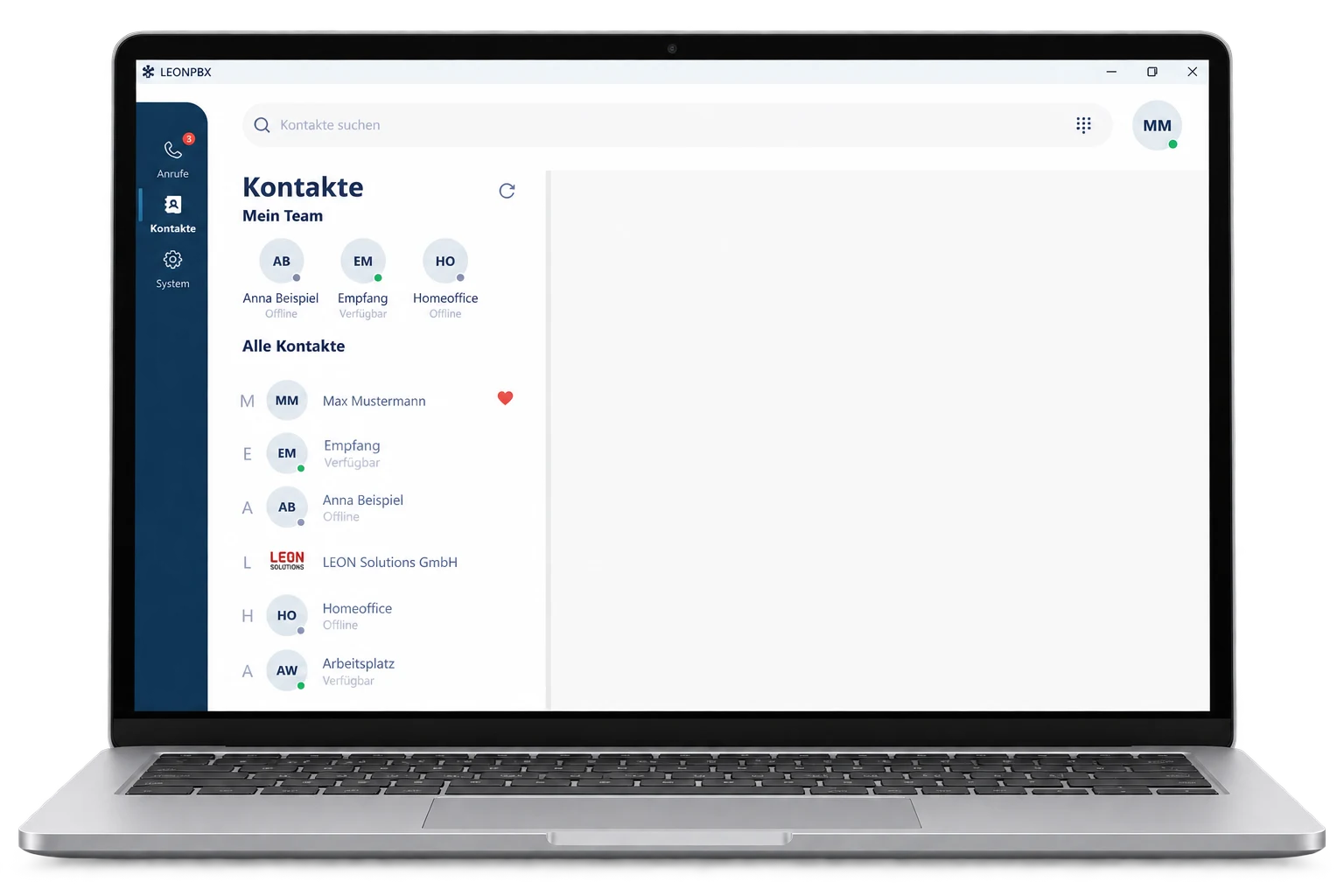
Colored BLF states make availability instantly visible. Name and number are clear, while authorized users can pick up ringing calls directly.
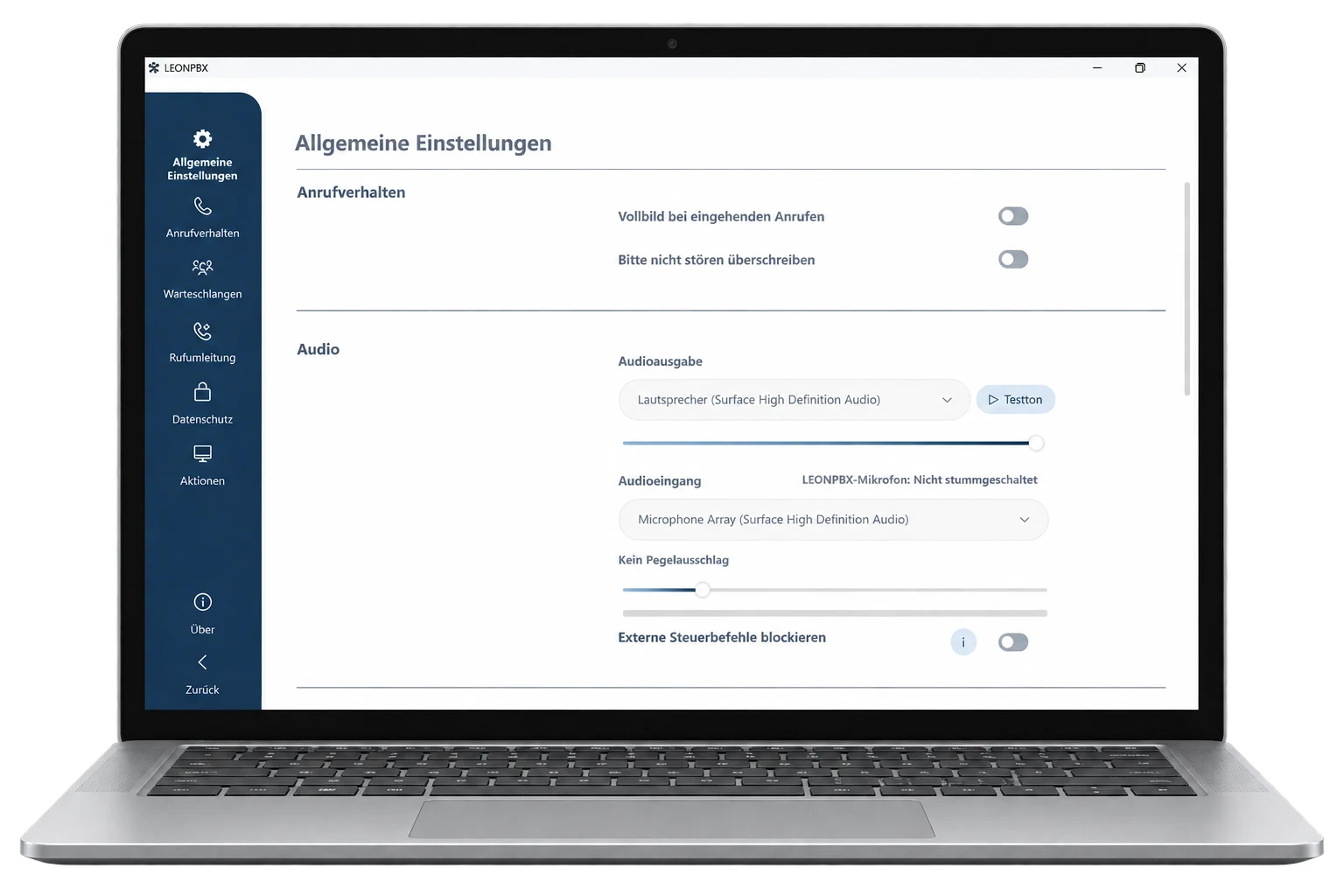
Queues, actions, forwarding, call behavior and privacy functions are clearly accessible in one interface.
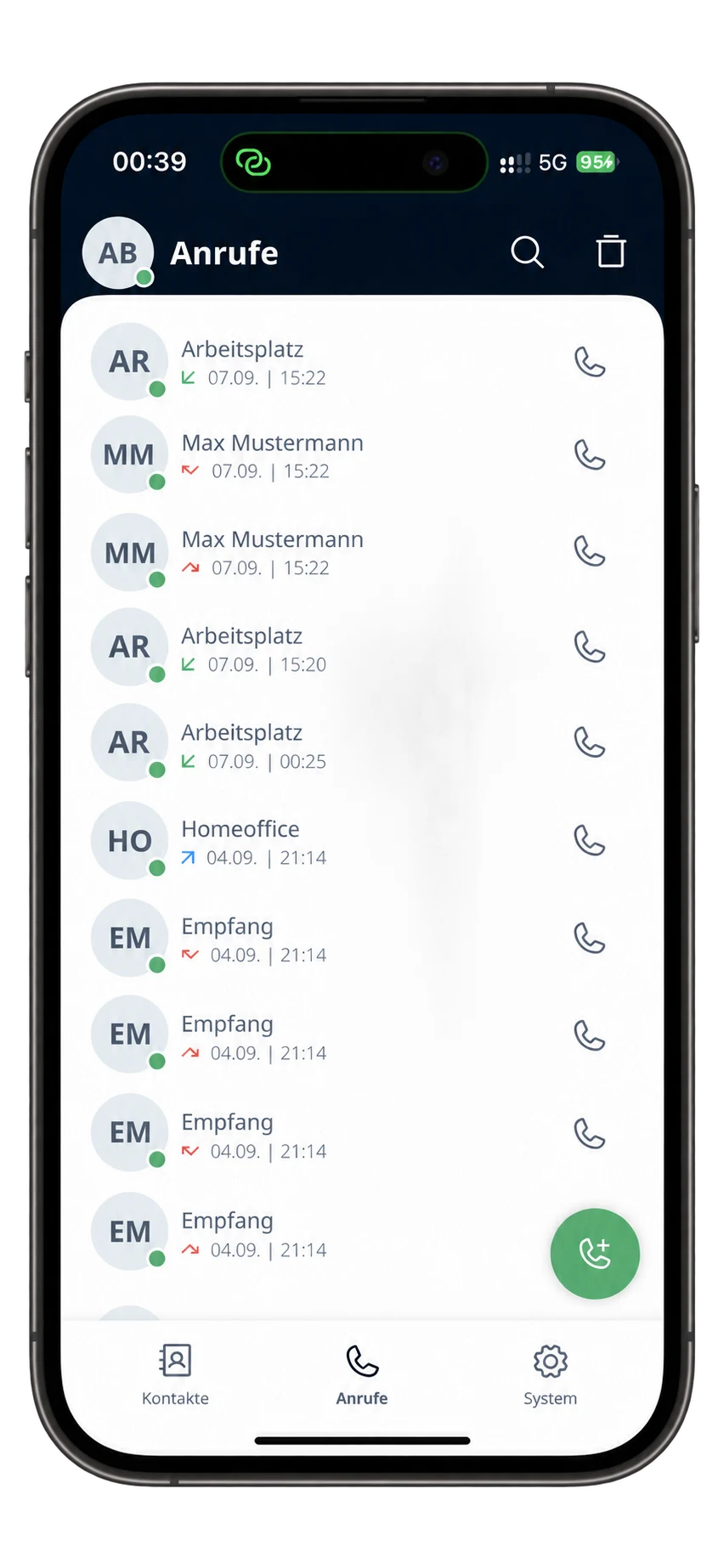
Name, number, direction and time remain visible at a glance for fast callbacks without searching.
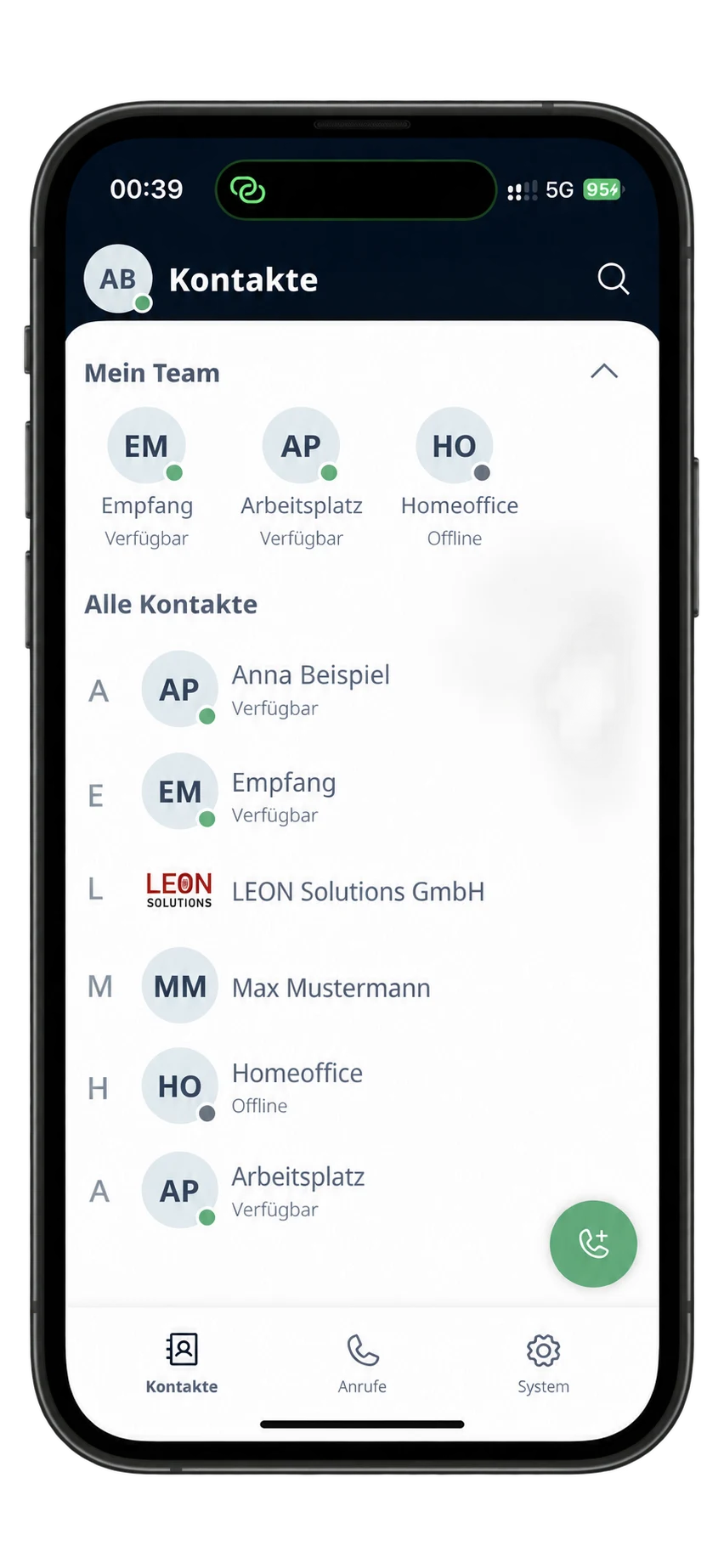
Company contacts, BLF colors and custom Teams states show who is available, busy or offline.
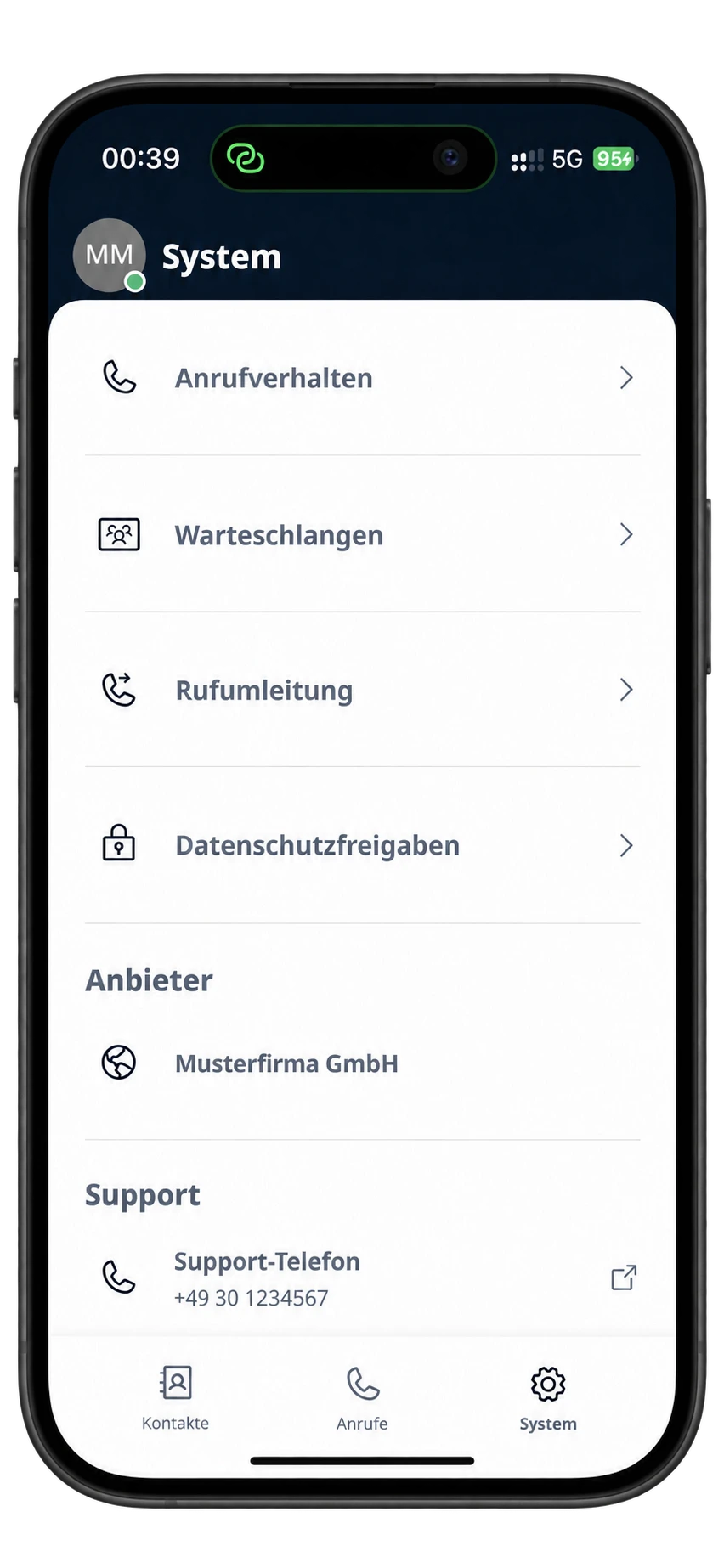
Queues, forwarding, call behavior and approved system functions can be controlled directly on iPhone.
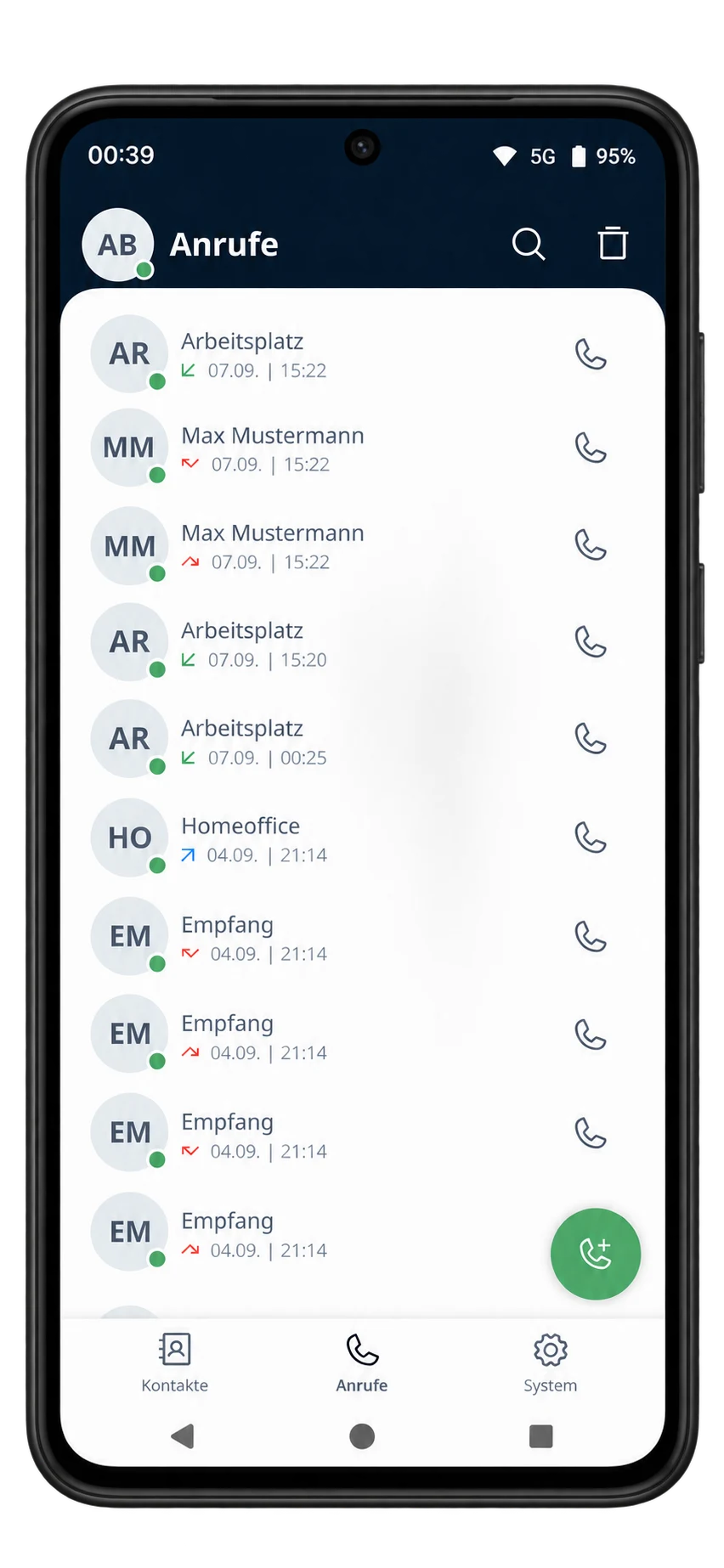
Name, number, direction and time are displayed clearly; callbacks start directly from the call history.
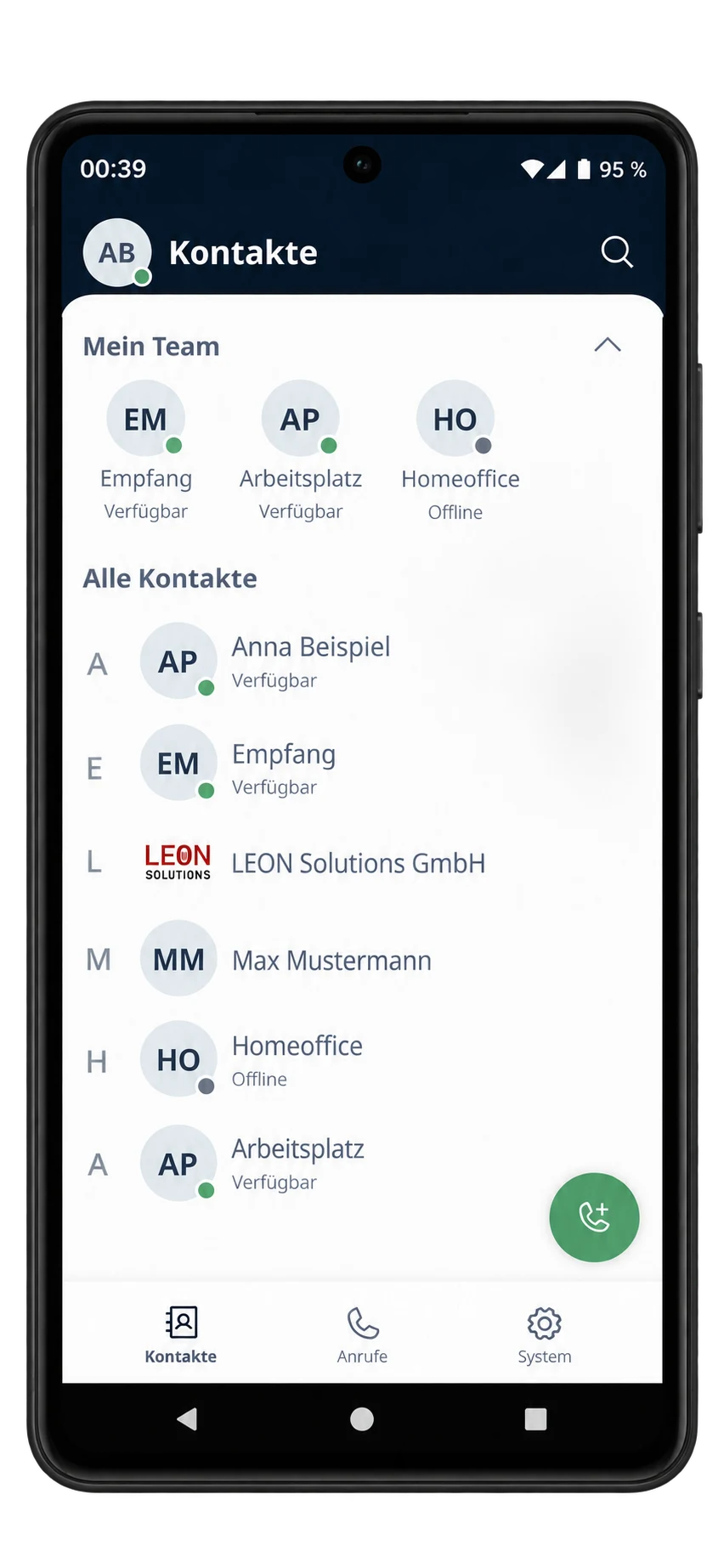
Contacts, colored presence and custom Teams states create transparency away from the office.
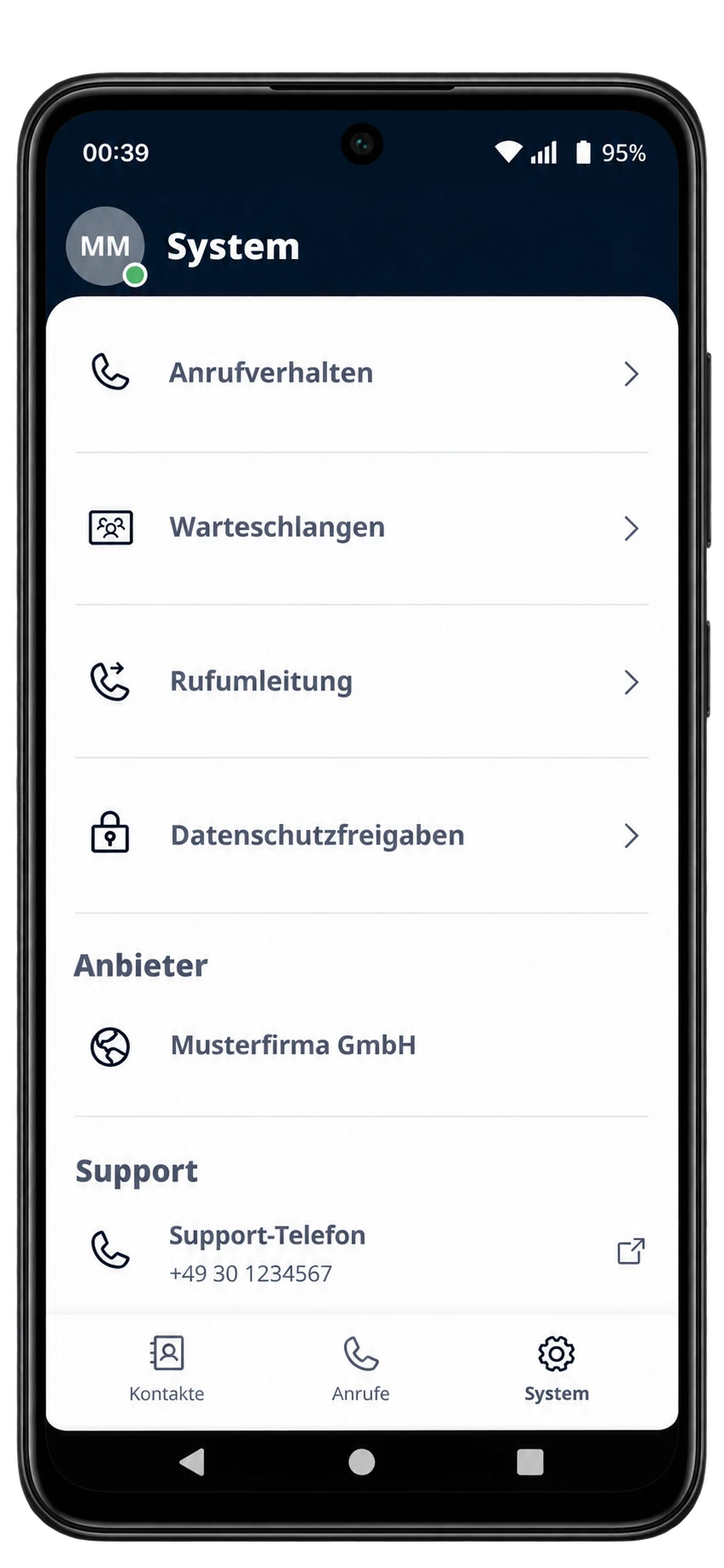
Queues, forwarding and personal telephony settings remain directly accessible on Android.
LEONPBX Operator Panel
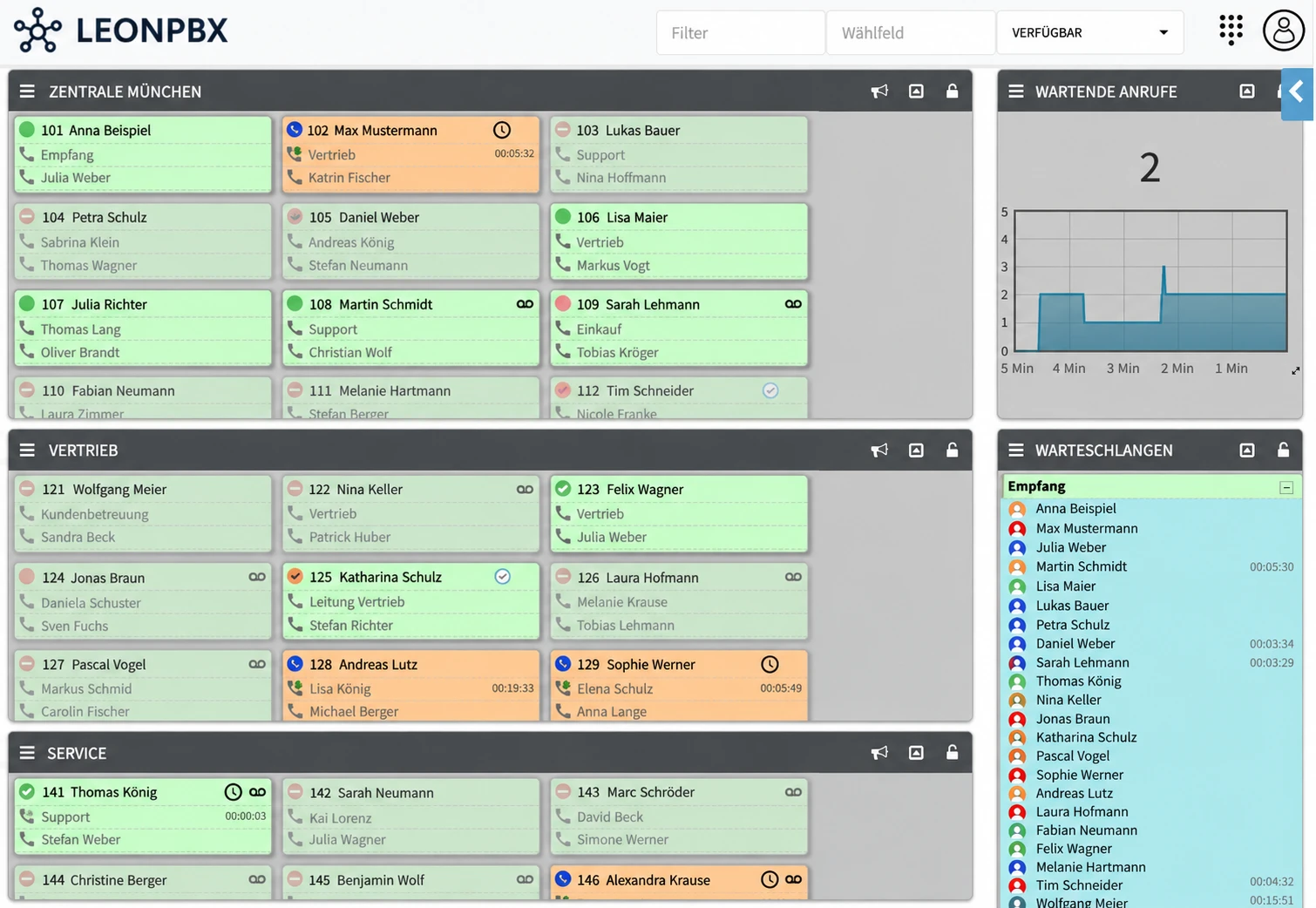
For reception, switchboard and call center teams, the LEONPBX Operator Panel creates complete visibility: extensions, calls, queues and agent states come together in real time in the browser.
Clear colors immediately show who is available, busy, unreachable or on a call. Name, number and call duration remain directly visible.
Answer, pick up, transfer, park, retrieve and start conferences directly from the clear switchboard interface.
Waiting callers, wait times, agents and pause states are visible live. Authorized supervisors manage members and actions directly.
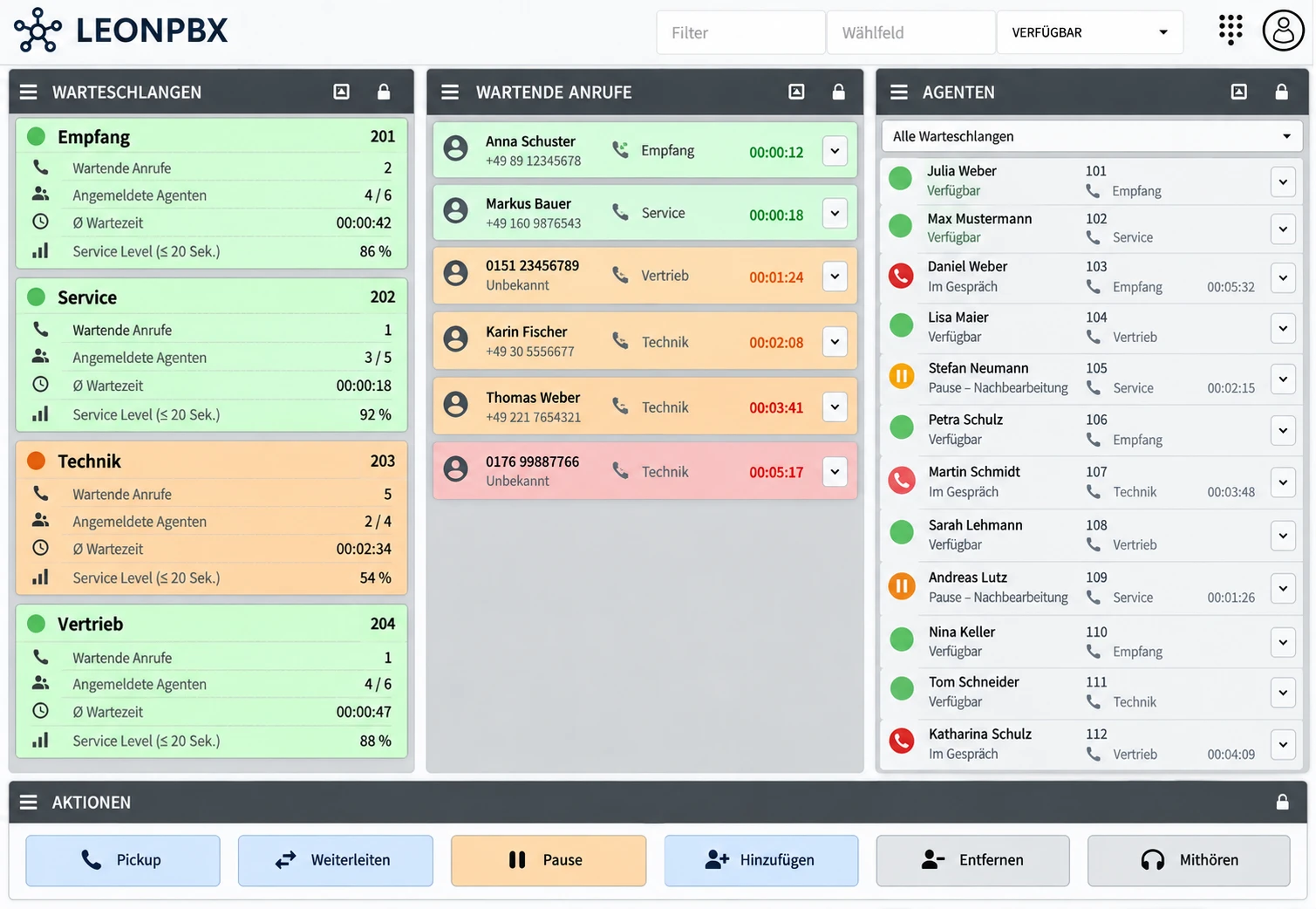
Waiting callers, wait-time thresholds, agent states and pause reasons come together live. Authorized supervisors control pickup, transfer and queue membership directly.
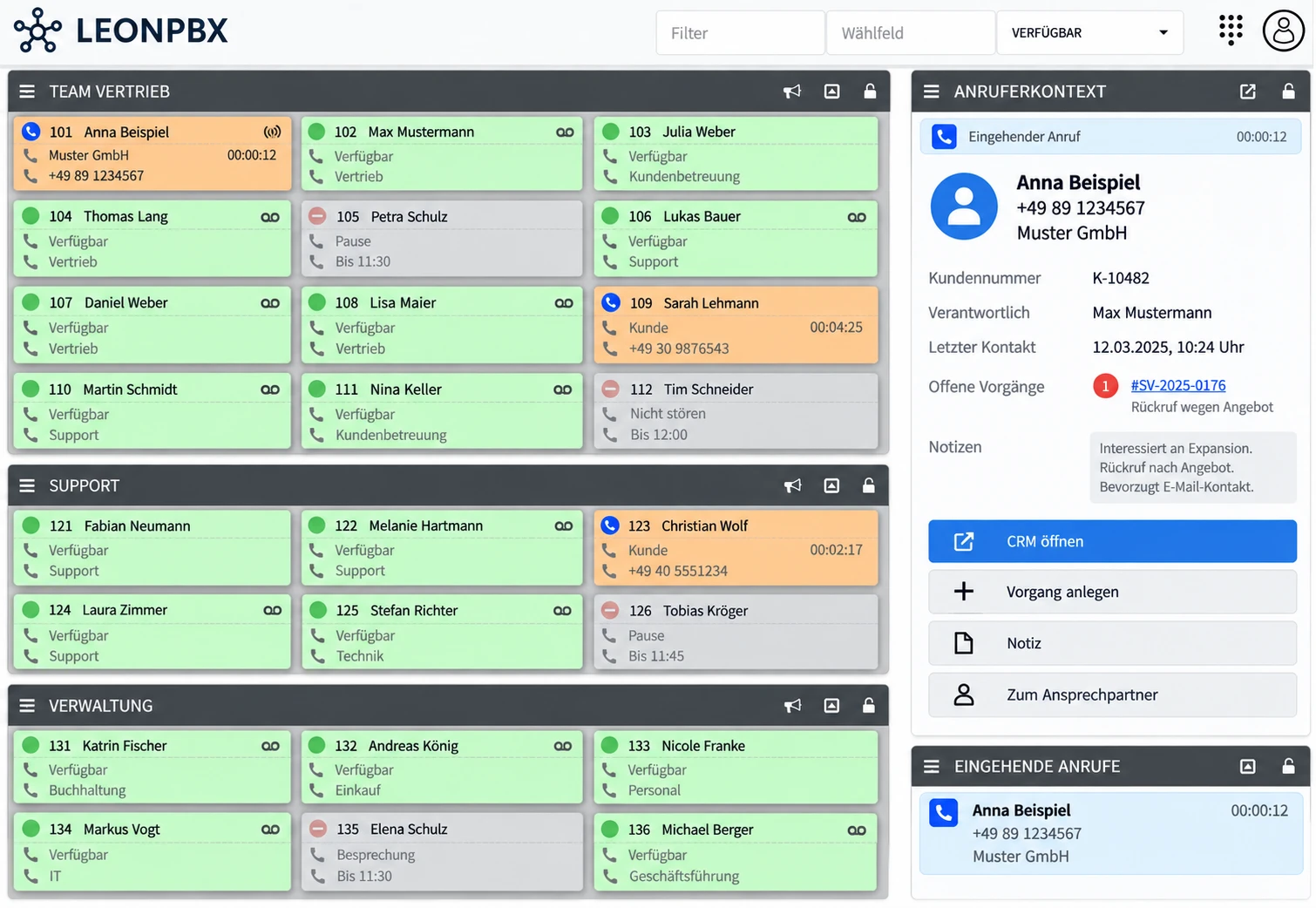
When the phone rings, name, number, company and relevant cases appear immediately. CRM, notes and responsible contacts are available without switching tools.
Logo, colors, views, groups, permissions, languages and presence states are individually customizable. CRM popups, phonebooks, user directories and project-specific workflows can be integrated directly.
Operational resilience
Delivery
For teams and individual sites
For growing businesses
For large and distributed organizations
We clarify users, sites, phone numbers, endpoints, network situation and the most important call paths.
The PBX is configured and connected to CRM, phonebook, web portal or business applications where needed.
Maintenance, security updates, adjustments and direct technical support keep the solution stable.
References
Clean assignment of callers and contacts inside existing systems.
Telephony becomes valuable when it reliably connects customer data, sites and internal workflows.
Structured telephony processes for branch and support environments.
Branch telephony needs clear routing logic, simple operation and stable processes across multiple sites.
Telephony as part of an automated sales and service process.
Calls, leads and service cases can be translated directly into operational workflows with the right PBX integration.
Three examples of how PBX, endpoints, web portals and internal systems are connected into practical day-to-day solutions.
For one customer, a web portal was built that allowed employees to control selected telephony functions themselves. Permissions, PBX configuration, endpoints and internal workflows were interconnected so changes were controlled, traceable and usable without an admin ticket.
Custom PBX extensions connect Yealink provisioning directly to extensions: model profiles, BLF keys, language, time, wallpaper and automatic check-sync actions after saving.
Our softphone was extended with custom deskphone click-to-call routes. Phone links from browsers, CRM systems or business applications can run through either the softphone or desk phone.
Contact
Briefly tell us how calls work today, which teams are involved and where things get stuck. We will respond with a pragmatic assessment.
kontakt@leonsolutions.de LEON Solutions GmbH